Features and Examples in the new TBS2 Application
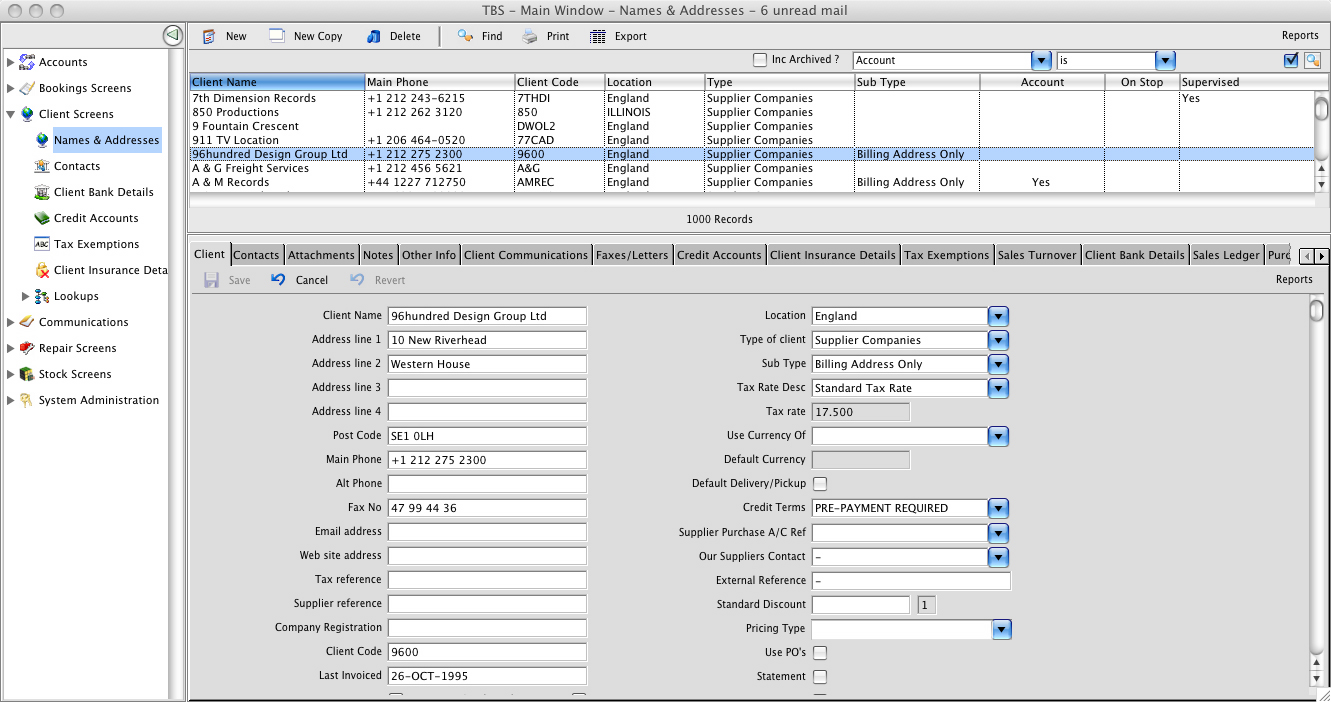
The first one is a typical layout of a TBS screen - there is a navigation tree on the left hand side (which can be hidden), a search list at the top, which has a familar look and feel to many email applications, and finally the bottom section has a tabbed screen with related information to the search list and displays information of the currently selected line in the search list - this is the typical style for the TBS screen layout.
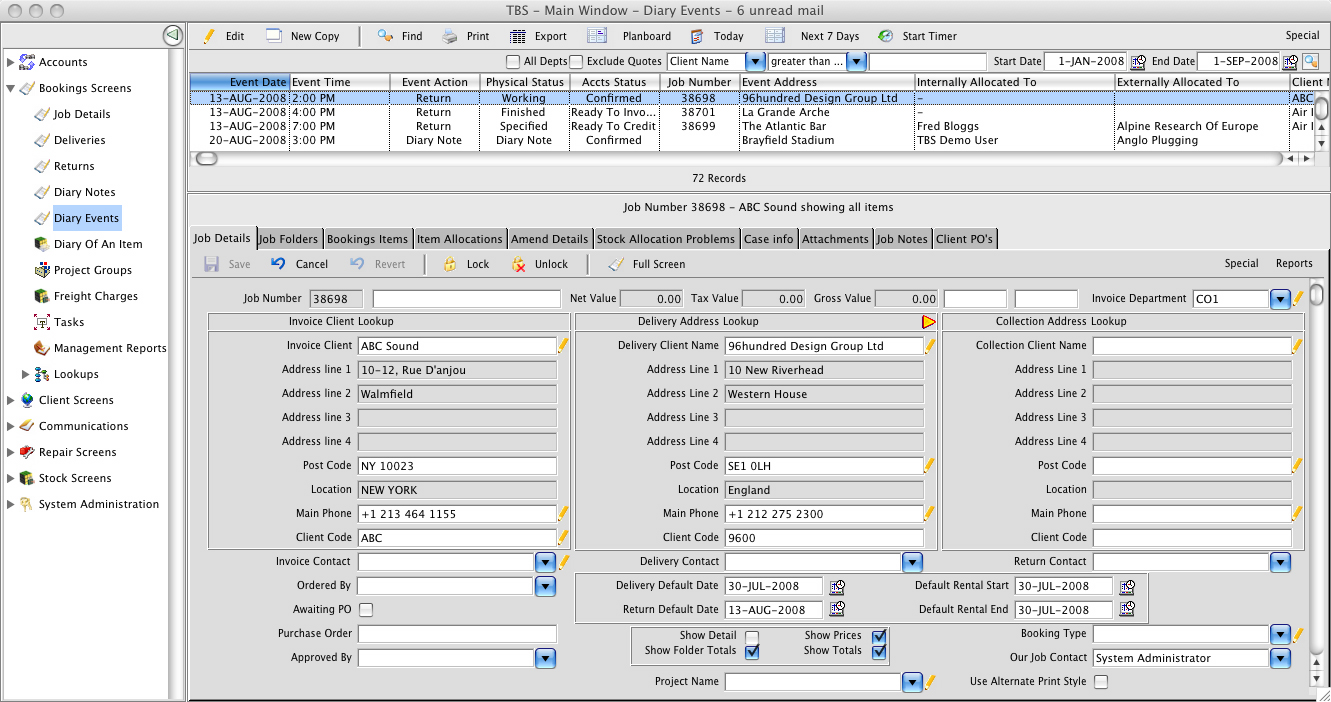
This image shows the diary list for bookings events, along with the main 'edit' screen of a booking itself - a booking - just like other components of TBS - comprises a heading screen and then other related tabs to display sections of the booking itself.
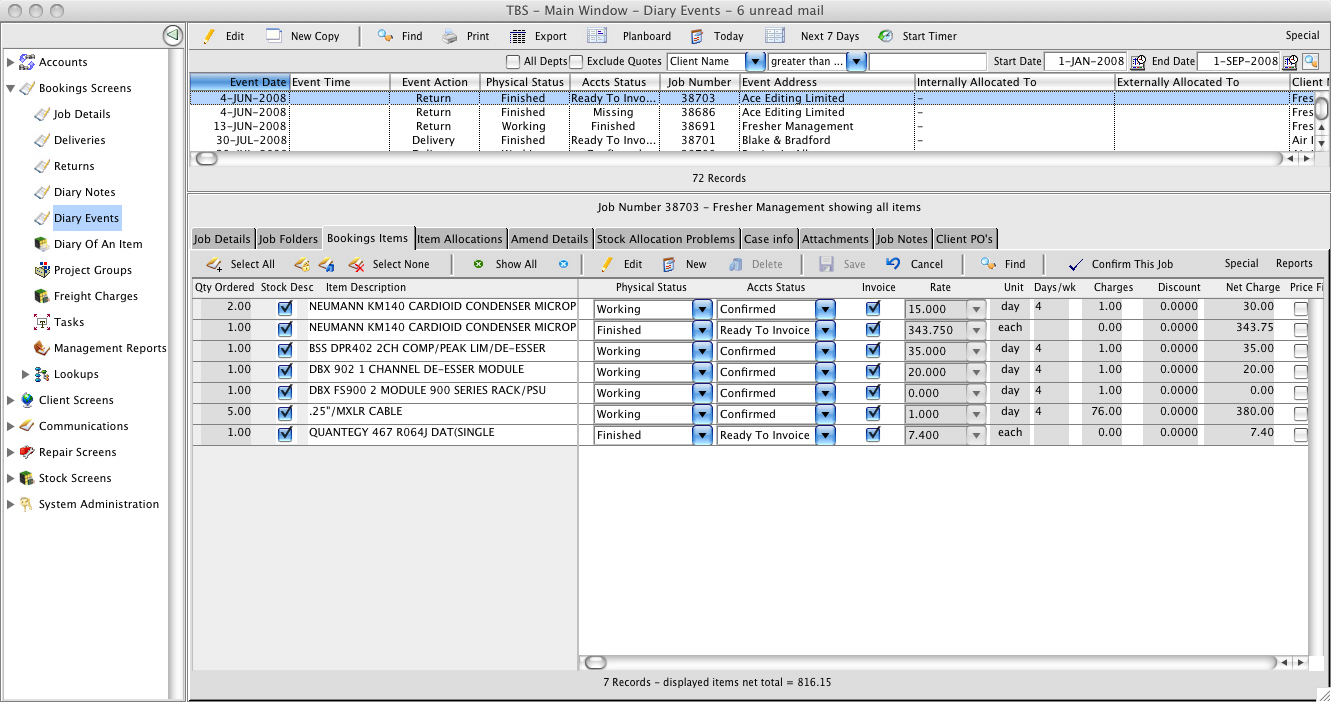
This image shows the diary list for bookings events, along with the main 'items' screen of a booking itself - in the items list each item that is part of the booking is set out to allow prices to be set and quantities agreed - each entry is flexible to enable to print on invoices and/or delivery notes as the user chooses - this gives great flexibility in the printed output that is shown to the client - the status fields of each line then govern the progress of the job through its life from quotation to confirmation, through the warehouse, being delivered, returned and invoiced to the client.
Diary List
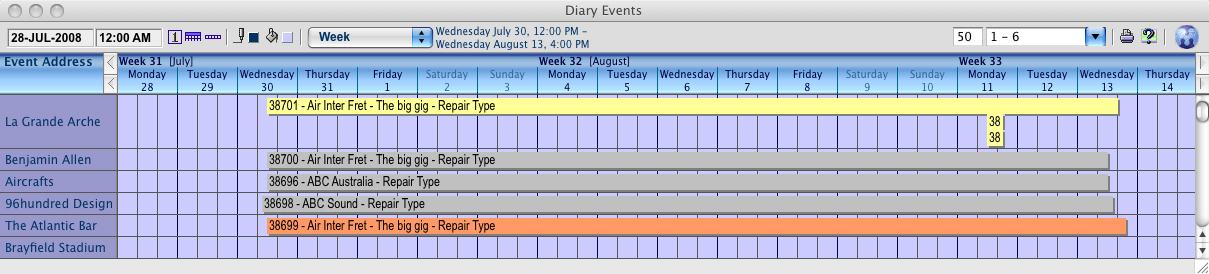
This image shows the diary list for bookings events displayed in the Planboard style which resembles a conventional planner style and is a more visually oriented way of viewing events that are occurring
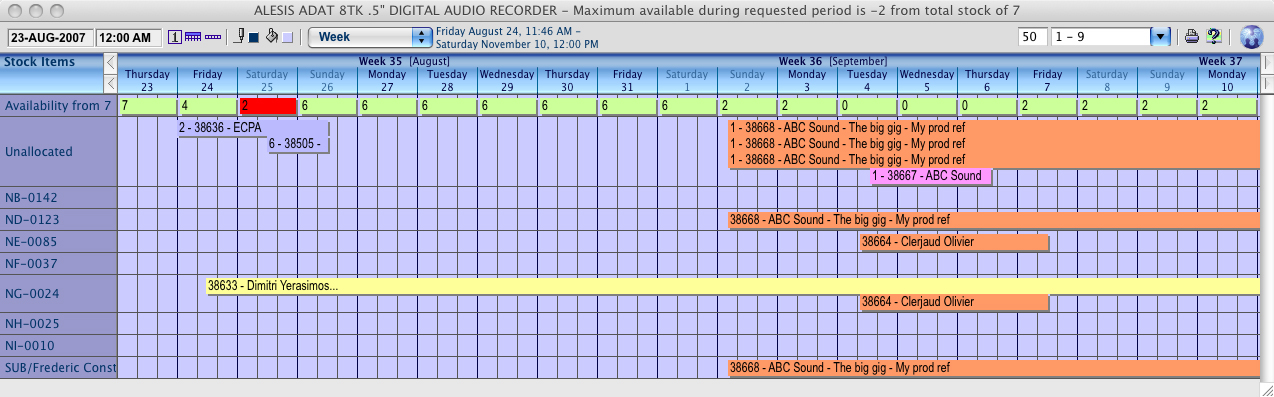
This image shows the diary of an individual stock description displayed in the Planboard style and shows the known bookings of that set of assets that are under our control, with the individual barcodes that represent each unique item in the left hand column, and along the top is shown the quantity of that item that is available for each day of our selected period - note the red number 2 which indicates a shortage of 2 units on that day - this gives a clear visual indication of a problem that will require either a change of equipment on the booking or a sub rental:
This has just been a small taster - get in touch with us for a full demo.